CuteHotspot. Wi-Fi Hotspot Software
Documentation
Administrator
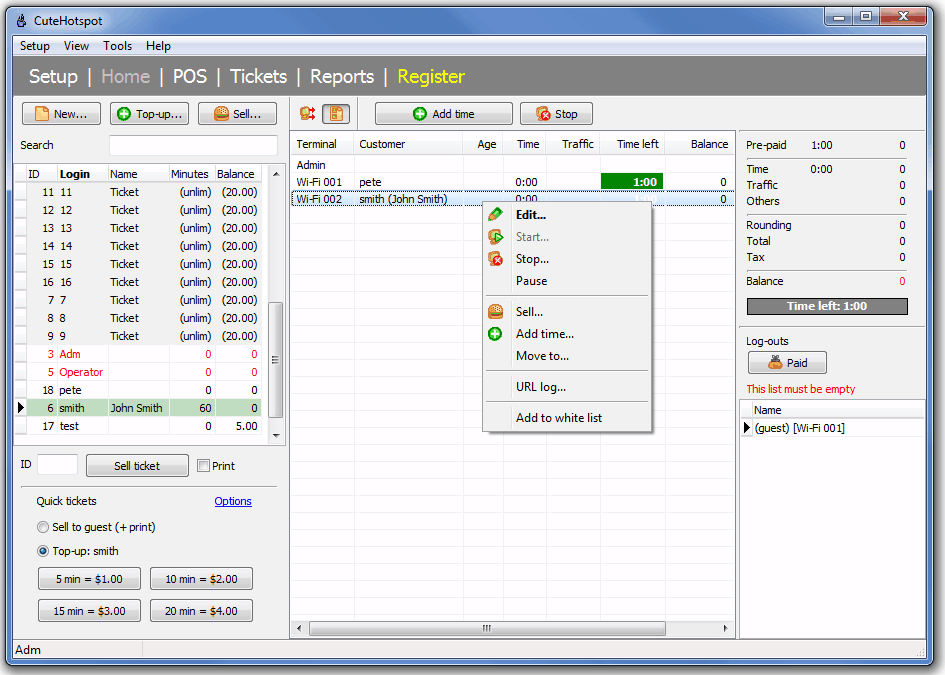
CuteHotspot main screen displays:
- main menu and module names
- customer list (top left)
- quick tickets (bottom left)
- terminal icons/list (center)
- terminal toolbar with the "arrange terminals" and "list" buttons, start/stop/timer/refresh buttons
- session summary for a selected terminal (top right)
- log-outs (bottom right)
CuteHotspot. Friendly Hotspot Software
Copyright © 2008-2013 TrueCafe, Ltd.
All rights reserved.